Search
Ctrl+K
Shuffle Features


On this page
Introduction
With the problems described in our about page in mind, this document describes the features we have and will be implementing to ensure anyone can build on the Shuffle platform. Shuffle is not to only be used by developers, but by anyone curious about automation.
Best in class App Creator
Our app creator is how we can promise to build apps within hours and days, rather than weeks. It's a easy to use, but yet powerful way to easily interact with other platforms' API's. It allows for app creation based on Swagger/OpenAPI, and can handle authentication for any HTTP method. The best part? You can export those apps as OpenAPI, meaning our apps aren't tied to Shuffle itself.
You can now generate an app directly from documentation. Simply paste a URL to an API documentation page, and our system will automatically transform it into a working app for you.
How it works:
- Provide a documentation URL containing APIs.
- Our system analyzes the structure and endpoints.
- An app is generated automatically, ready to use and customize.
And the best part? All apps can still be exported as OpenAPI specifications, meaning they are never locked into Shuffle.
Our goal with the App Creator is to incentives as many security companies as possible to share their API's, and to keep the largest repository of integrations out there.
The workflow designer
Our workflow designer is the part of Shuffle that makes it all fit together. Together with the App creator and our default apps (HTTP & Shuffle Toolbox), it gives you access to unlimited automation possibilities, ensuring anyone can learn to automate anything with just a few hours of practice.

Standard workflows and apps
Shuffle comes pre-packaged with a large amount of apps and workflows, making it both easy to start using and extend. This, together with our Marketplace is what will bring security to new heights.
Local, hosted, cloud and Hybrid
Shuffle's focus has and will always be on Open Source and collaboration. With this in mind, we are tirelessly building out features and fixing bugs for the Open Source, before testing, migrating and deploying it across our user- and customerbase.
- Shuffle cloud is a custom solution with mostly the same codebase, but is Micro-service oriented through Google Cloud Functions.
- The local and hosted version of Shuffle is the one hosted on Github, and comes out of the box with no limitations.
- Shuffle Hybrid is another variant, allow for the local and cloud version to work together. This will further allow for connections between Shuffle instances in the future.
Multi-tenancy
Shuffle allows for a user to have multiple tenants associated with a User and vice versa. Tenants have logical barriers, making users able to easily swap between them. Shuffle is further extended for MSSP's needs, allowing for Sub-tenants to be controlled from a Parent-tenant.
Multiple environments
Have multiple datacenters with physical barriers for connections? No problem - we've built a way for a single workflow to run scripts in multiple locations. Environments are divided by Tenant, but still allowing for resource sharing if necessary.
File storage
What is a security system that can't handle files? Not very useful. The good news? We can. If you want to connect Shuffle to your favorite sandbox, or upload and analyze an email with Yara - we can do it all.
What more? We also support namespaces, allowing for the download of a full namespace as a single bundle. What does this mean? You can e.g. control all your rules from a single place.
Key Value store
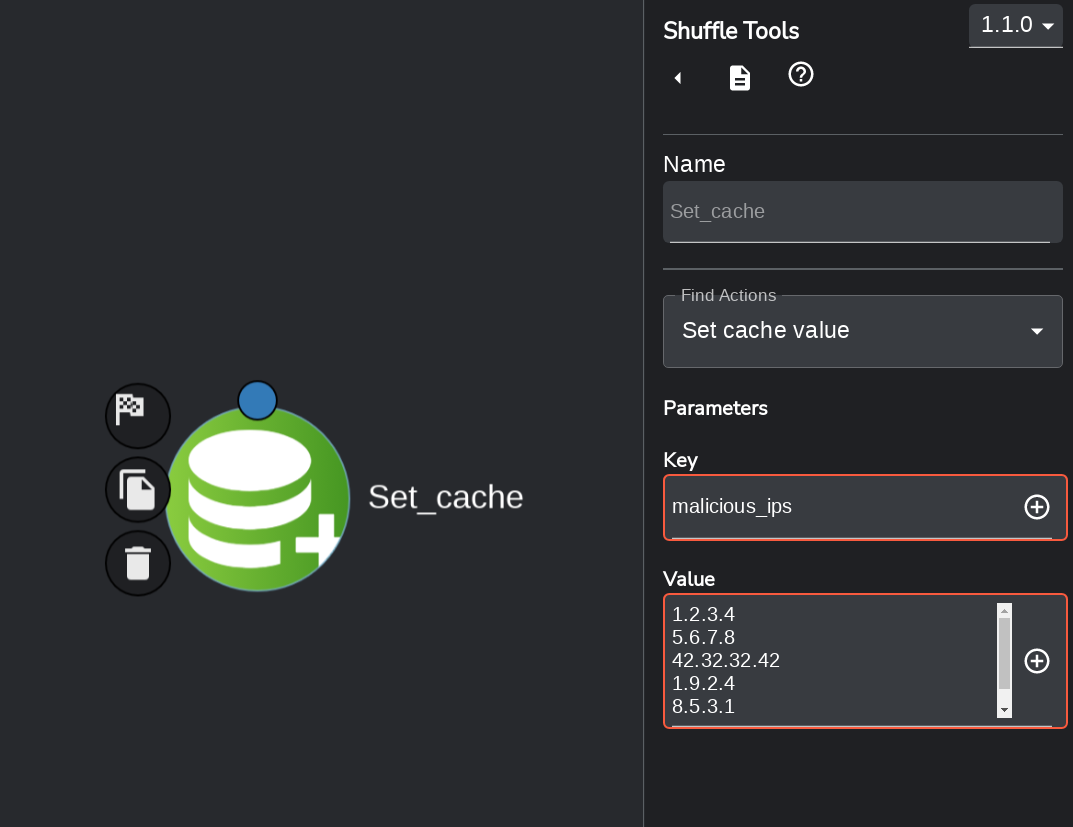
We've extended Shuffle with the possibility of storing data for all your needs. This is called the "Shuffle Cache" and can be used for e.g. Pagination, timestamp management, IOC lists and anything else you want. Not to worry! This is permanent storage if you want it.
What more? It's easy to use, and accessing the data can be done directly from $shuffle_cache, while setting values can be done with the Shuffle Toolbox.
Encrypted Authentication storage
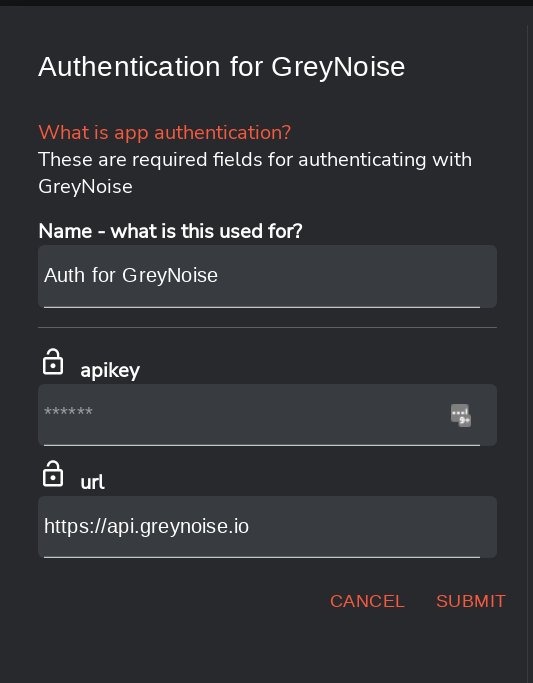
Having a good storage solution isn't enough. What if the server itself gets breached? Worry not! All your treasures are safely encrypted, and decrypted ONLY in real time for an app that needs to use them.
Built-in Documentation
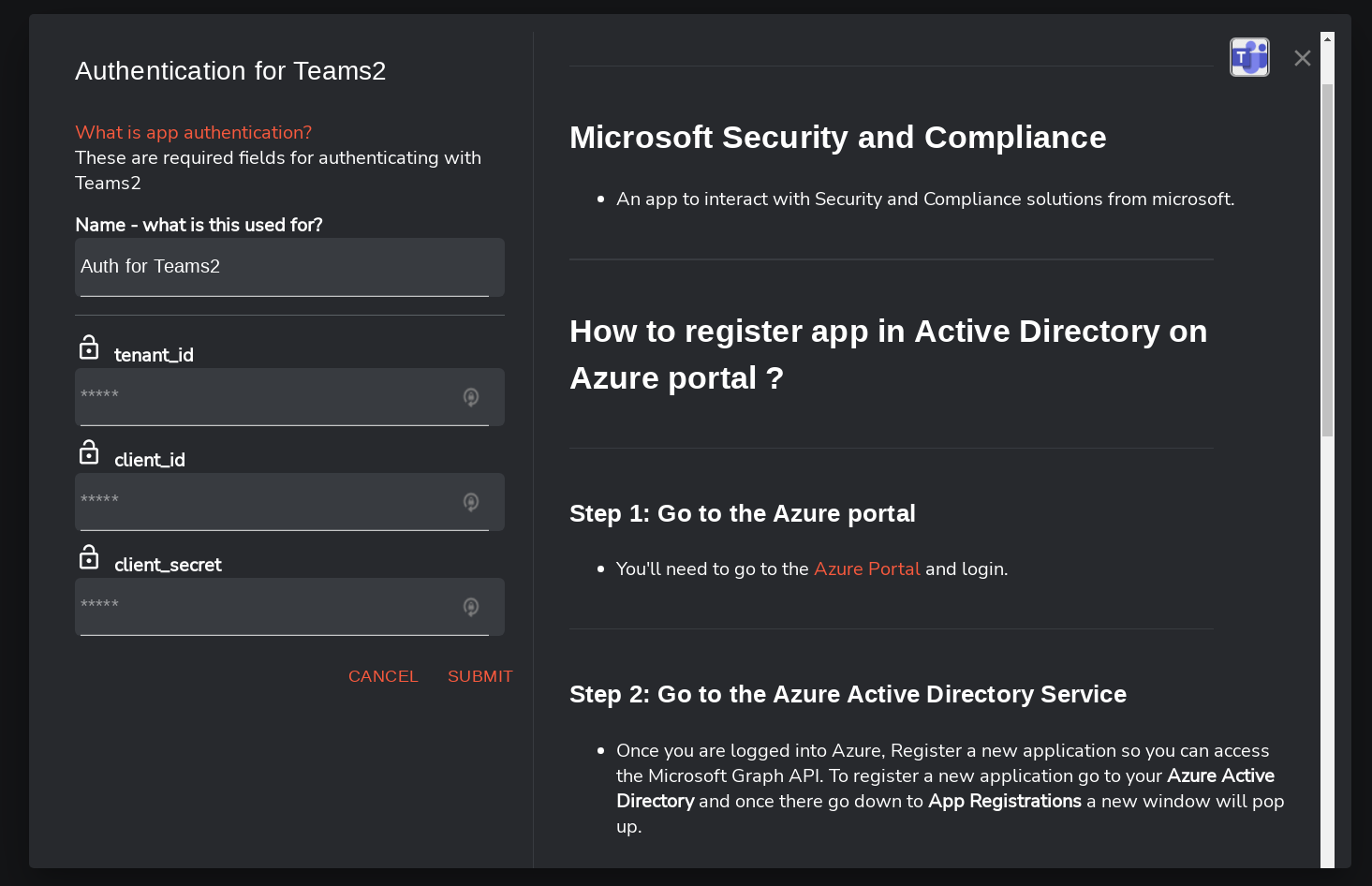
What is a system that isn't documented well? A not so useful system. That's why we've ensured that our apps get documented, which is available at the click of a button from within the Workflow UI - right next to the authentication process.
Triggers of all kinds
Automation wouldn't be automation if you had to do manual work. That's why Shuffle has implemented 4 core triggers:
- Webhooks: Allows any outside source to send data in real time to Shuffle.
- Schedules: Makes it possible to start a workflow on a schedule
- Subflows: Want to run another Workflow from within your current one? This does that exactly.
- User Input: Starting or continuing an action based on what an analyst decides
Extension triggers (not exhaustive): AWS Lambda, AWS S3, Elastalert, Kafka, Pub/Sub
Autocomplete
The Autocomplete feature in the Workflow Editor allows you to dynamically reference and insert data from previous node executions into your current action or script.
When you open a field (such as the body, arguments, or parameters) and type the $ symbol or click the autocomplete button, Shuffle automatically lists all available runtime variables and datastore entries from earlier workflow steps.
Each listed item represents data output from a previous node (for example, $phishing.value, $email_ids.value, or $testing.value). By selecting any of these variables, it automatically inserts the appropriate dynamic reference into your editor.
SSO and MFA
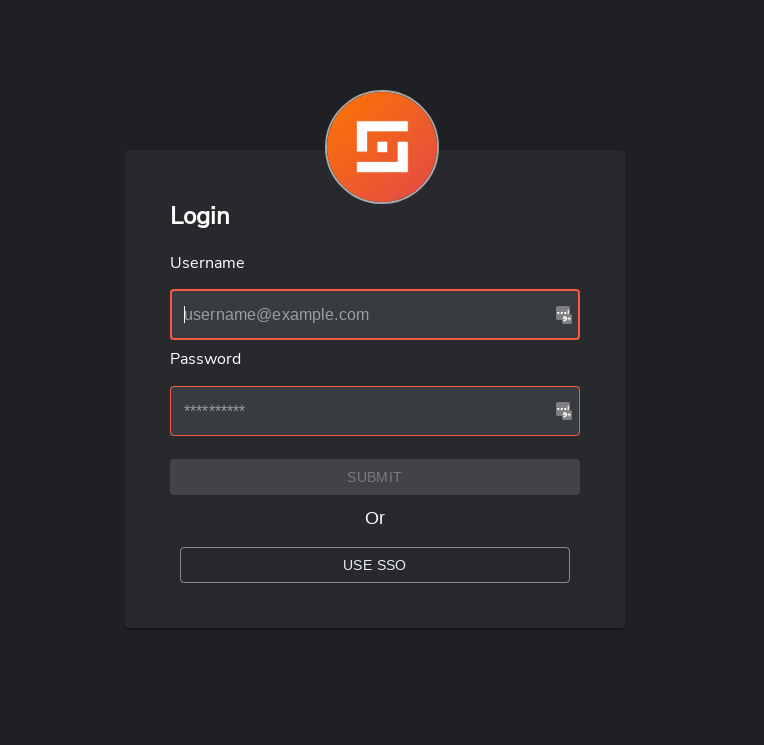
SSO and other required authentication mechanisms are already in play, and available to anyone who wants to use them rather than normal signin. Our main supported platforms are the following, with more platforms to come (ask us!):
- Okta
- Auth0
- PingID
- AzureAD
Anything below here is alpha stages
Marketplace
The Shuffle marketplace is where you can go and find the integrations and workflows you want. As more users Publish their workflows and apps, we will move a lot of our focus here.
Development AI & Workflow Generation
Shuffle allows apps and workflows to be built and modified directly from natural language prompts. This is powered by Google Cloud Platform (Google Cloud Vertex AI / Gemini models) with region-specific routing (such as EU or US regional boundaries configured via SHUFFLE_GCE_LOCATION) to guarantee data residency.
You can use and test this directly in the workflow builder using the Agent Chat widget or via Shuffle Agents. Learn more in our AI documentation.